Table of Contents
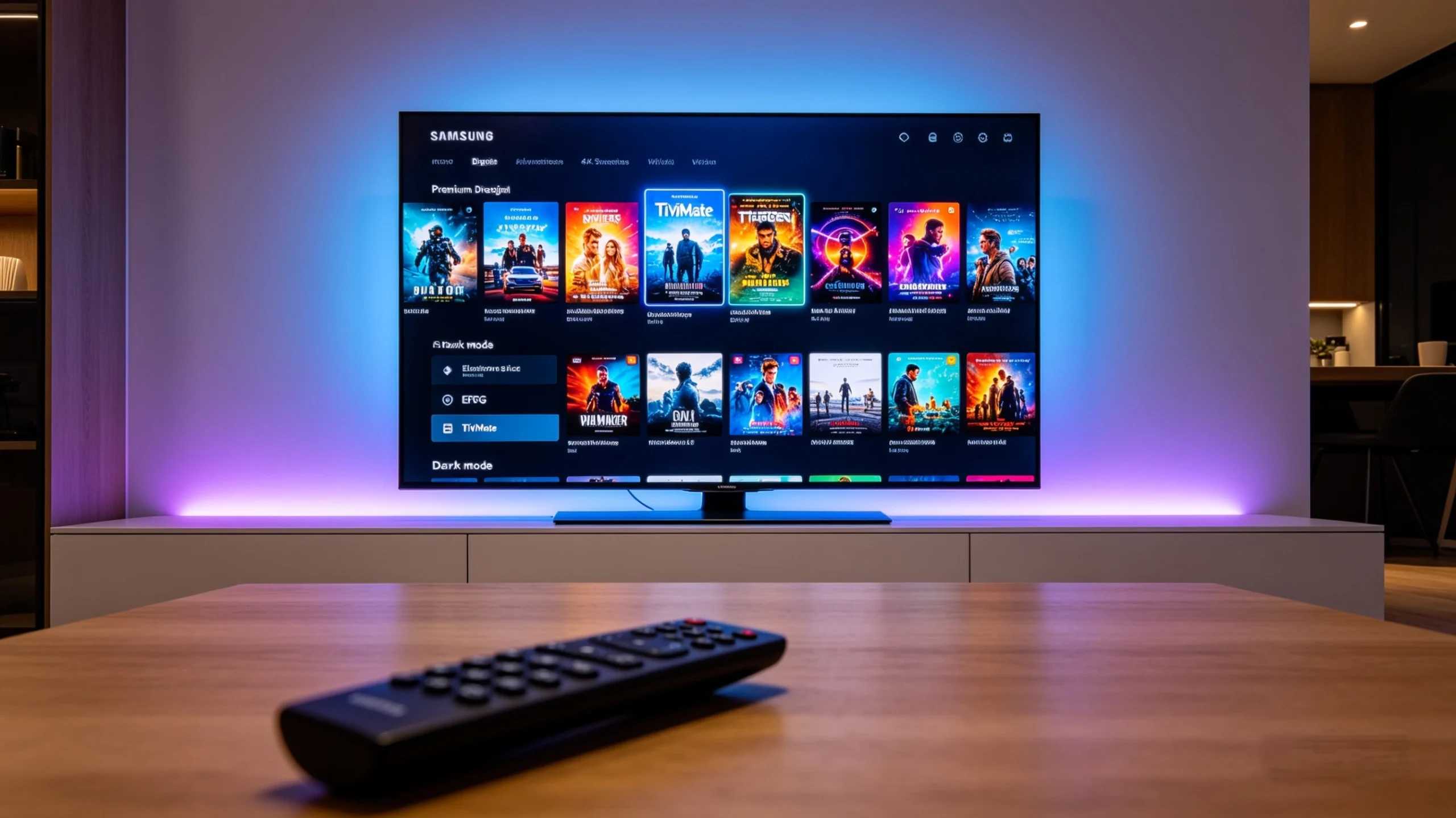
If you have ever spent time scrolling through cord-cutting forums or streaming subreddits, you have undoubtedly heard of TiviMate. It is widely considered the undisputed king of IPTV players, praised for its beautiful, cable-box-like user interface, lightning-fast electronic program guide (EPG) loading times, and robust multi-screen features.
You sit down in front of your beautiful, crisp Samsung Smart TV, open up the app store, type in “TiviMate,” and… nothing.
It is an incredibly frustrating moment that thousands of smart TV owners experience every single day. The reality is that TiviMate is built strictly for Android-based operating systems. Because your Samsung TV runs on Samsung’s proprietary Tizen OS, the app simply isn’t native to your ecosystem.
But do not pack up your television or lose hope just yet. You can still achieve an elite, premium live TV streaming experience right on your screen. This comprehensive guide will walk you through the absolute best tivimate alternatives for samsung smart tv, dive deep into the technical workarounds, and show you exactly how to turn your Tizen television into a streaming powerhouse.
Why Can’t You Get TiviMate on a Samsung Smart TV?
To understand why we need a workaround or an alternative application, we have to look beneath the plastic casing of your television and explore the software running the show.
+-------------------------------------------------------------+
|                      SMART TV ECOSYSTEMS                    |
+-------------------------------------------------------------+
|  SAMSUNG SMART TVs                 |  SONY / FIRE TV / ONN  |
|  Runs on: Tizen OS (Linux-based)   |  Runs on: Android TV   |
|  App File: .wgt / Web Apps         |  App File: .apk        |
|  Incompatible with TiviMate        |  Native TiviMate Support|
+-------------------------------------------------------------+
Understanding Samsung’s Tizen OS vs. Google’s Android TV
Most streaming software developers write their applications for Android TV or Google TV frameworks. Android is highly customizable, open-source, and allows developers to build rich, resource-intensive media environments.
Samsung, on the other hand, utilizes Tizen OS, a Linux-based platform designed specifically for Samsung hardware. Tizen apps are essentially optimized web applications wrapped in a container that communicates with the TV’s processor. Because the fundamental programming languages and architectures differ completely, software compiled for Android (an .apk file) cannot run on Tizen (which uses .wgt installations).
The Technical Limitations of Sideloading Apps on Tizen
On an Android device, like a Chromecast or a Firestick, if an app isn’t in the official store, you can simply “sideload” it by downloading the installation file through a browser.
Tizen OS does not allow casual sideloading. While there is a technical method to put Tizen into “Developer Mode” and push custom app builds using a computer running the Tizen Studio SDK, you still cannot run Android files. You can only load apps specifically coded for Tizen.
Because of this, trying to force TiviMate onto your Samsung panel is a dead end. Your best path to a flawless streaming experience is to look for the best tivimate alternatives for samsung smart tv that are already optimized for Tizen hardware or to bypass the operating system restrictions entirely using an inexpensive external device.
What Features Make TiviMate the Gold Standard? (What We Are Replacing)
Before we start exploring the alternatives, we need to establish a benchmark. What exactly are we trying to replace? To find a true tivimate alternative, an app needs to deliver on several core functionalities that users love about the original platform:
- The Modern Cable UI/UX: TiviMate succeeded because it doesn’t look like a cheap media player from 2012. It looks exactly like a high-end, premium satellite or cable box interface, complete with a dark mode theme, transparent overlays, and intuitive navigation.
- Flawless EPG Mapping: A media player is only as good as its TV guide. TiviMate handles data synchronization gracefully, allowing users to cross-reference their channel lineups with robust Electronic Program Guide links so you always know what is playing.
- Advanced Playlist Aggregation: Heavy streamers often don’t rely on just one source. They mix and match different lists. TiviMate lets you organize a primary tivimate playlist alongside backup streams without crashing the system memory.
- Picture-in-Picture (PiP) and Multi-View: For sports fans, the ability to watch up to four or nine games simultaneously on one screen is a game-changing feature that few players have managed to copy successfully.
Our goal in this guide is to find alternatives available on the Samsung App Store that come as close as possible to these high standards.
Top 7 Best Tivimate Alternatives for Samsung Smart TV
Let’s dive into the core options available for your television. These choices have been tested thoroughly for stability, visual appeal, ease of use, and compatibility with standard modern data streams.
1. IPTV Smarters Pro / Smarters Player Lite
If there is any application that rivals TiviMate in terms of global installations, it is IPTV Smarters. It is widely considered one of the best tivimate alternatives for samsung smart tv due to its widespread availability and familiar, feature-rich interface.
+-----------------------------------------------------------+
|                    IPTV SMARTERS PRO                      |
+-----------------------------------------------------------+
| [ LIVE TV ]      [ MOVIES ]      [ SERIES ]     [ EPG ]   |
|                                                           |
| * Built-in Video Player         * Parental Controls       |
| * Xtream Codes API Support      * Master Search Feature   |
+-----------------------------------------------------------+
Overview
IPTV Smarters Pro (often listed as Smarters Player Lite on various smart TV app stores) is built natively for Tizen OS. You can find it by simply searching the official Samsung App Store right on your TV dashboard.
Why It Fits
It bridges the gap between simple text-based playlist readers and high-end media suites. It divides your content cleanly into four main quadrants: Live TV, Movies, Series, and Catch-up.
Features
- Native Multi-Format Support: Easily handles a complex tivimate playlist m3u structure or direct Xtream Codes API database integrations.
- Master Search: If you have tens of thousands of channels and video-on-demand files, the built-in search functionality searches across all categories simultaneously.
- External Player Integration: If the native Samsung video decoder struggles with a specific video file format, Smarters allows you to route the feed through alternative video playback engines.
Pros & Cons
- Pros: 100% free to download natively on Samsung; supports multi-screen layouts; includes robust parental controls to lock out adult or sensitive categories.
- Cons: The UI can feel slightly cluttered compared to the clean, minimalist look of TiviMate. The home screen focuses heavily on categories rather than an immediate, direct-to-channel guide view.
2. Smart IPTV (SIPTV)
Smart IPTV is an absolute veteran of the smart TV ecosystem. It was one of the very first apps available on early Samsung smart hubs and remains incredibly popular for users who value raw speed over flashy graphics.
Overview
Smart IPTV does not manage playlists within the TV app itself. Instead, it uses your television’s unique hardware MAC address to link your device to an external online management portal where you upload your content strings.
Why It Fits
Because it doesn’t store heavy database graphics or promotional movie posters locally on your TV, it runs exceptionally fast on older or lower-spec Samsung models that might struggle with heavier applications.
Features
- Web-Based Portal Asset Loading: Instead of typing long, frustrating web addresses with your Samsung TV remote control, you simply go to the SIPTV website on your computer or phone, paste your m3u playlist for tivimate or other players, enter your TV’s MAC address, and click send.
- Extremely Lightweight Container: The app loads almost instantly because it is entirely focused on pure text streams and direct hardware video decoding.
Pros & Cons
- Pros: Incredible channel zapping speed; extremely reliable on older hardware; clean, straightforward layout without unnecessary fluff.
- Cons: The interface looks distinctly dated and resembles an early 2000s satellite box. It requires a one-time activation fee of a few Euros after a 7-day free trial.
3. Bay TV / Royal IPTV
As smart TV processors have gotten faster, a new wave of premium applications has hit the Samsung App Store. Bay TV and Royal IPTV are two modern sister applications that focus heavily on imitating the sleek, dark, premium aesthetic of high-end Android players.
Overview
These are premium, activation-based apps found directly in the Samsung Tizen store. They are engineered specifically to bring modern UI elements, smooth animations, and high-performance EPG mapping to the Tizen platform.
Why It Fits
If you find IPTV Smarters too cluttered and Smart IPTV too ugly, these apps sit right in the perfect middle ground. They focus heavily on a clean, horizontal grid layout that mimics modern streaming apps like Netflix or Hulu.
Features
- Slick Grid EPG Layout: The electronic program guide flows horizontally with smooth inertia scrolling, making it incredibly easy to see what is broadcasting across dozens of channels simultaneously.
- Fast Cloud Synced Ingestion: Your data sources are processed through optimized cloud containers before being delivered to your screen, which helps prevent memory crashes on large channel lists.
Pros & Cons
- Pros: Visually stunning modern interface; highly intuitive for less tech-savvy family members; rapid data caching.
- Cons: Paid applications that require a license renewal after their trial periods expire; can occasionally lag on entry-level Samsung TVs from previous production generations.
4. Net IPTV
Net IPTV is another highly stable, intermediate application available directly inside the Tizen app catalog. It strikes a balance between minimalist code architecture and modern visual amenities.
+-----------------------------------------------------------+
|                         NET IPTV                          |
+-----------------------------------------------------------+
| [ MAC: AA:BB:CC:DD:EE:FF ]              [ Upload Status ] |
|                                                           |
|  > Category 1: US News                                    |
|  > Category 2: Sports HD                                  |
|  > Category 3: UK Documentaries                           |
+-----------------------------------------------------------+
Overview
Similar to Smart IPTV, Net IPTV utilizes a centralized mac-address registration portal (netiptv.eu). This system lets you manage, update, and sort your live data configurations from any secondary smartphone, laptop, or desktop computer.
Why It Fits
It has excellent internal logic for handling massive channel capacities. If your chosen iptv provider for tivimate or alternative players serves you a massive file with over 50,000 items, Net IPTV is one of the few native Tizen apps that won’t freeze during the primary parsing phase.
Performance Tip
Even the best-written software code will choke if the underlying data feed is poorly optimized. While Net IPTV keeps things lightweight, your hardware needs a reliable, premium data backbone to avoid stuttering. For those who want to test these app settings with a high-bitrate, stable server, [check out the resources at getxtreamiptv.com].
Pros & Cons
- Pros: Highly resilient container that rarely crashes; supports multiple portal configurations; simple numerical navigation commands.
- Cons: The app layout is utilitarian and lacks some of the rich metadata features (like movie synopses and actor cast lists) found in more robust applications.
5. SS IPTV (Simple Smart IPTV)
For users who refuse to spend money on application licenses or premium apps, SS IPTV represents the ultimate open-source style hero of the Tizen platform.
Overview
SS IPTV is a completely free, highly functional media player that has been a staple of smart TV store platforms for nearly a decade.
Why It Fits
It gives you complete control without any paywalls, trial expirations, or persistent upgrade popups.
Features
- Built-in Operator Integrations: SS IPTV partners with various regional web networks, allowing some users to pre-load local public television streams without manual configurations.
- Flexible Interface Scaling: You can alter the size of the interface tiles, allowing you to maximize screen space whether you are sitting right in front of a small bedroom TV or across the room from an 85-inch living room display.
Pros & Cons
- Pros: 100% free to use forever; zero annoying ads built into the core user path; surprisingly robust playlist handling.
- Cons: The setup process can be highly confusing for beginners. The design layout is somewhat corporate and utilitarian, missing that cozy, premium living-room feel.
6. Nanomid Player
Nanomid Player is a sophisticated, premium player designed for high-end digital media consumers who value security, advanced streaming protocols, and ultra-smooth frame rates.
Overview
Available directly within the native Samsung Smart Hub app environment, Nanomid stands out by bringing advanced web delivery capabilities to the Tizen system architecture.
Features
- Advanced Tracking Blocks: Nanomid includes internal optimization filters that help shield your traffic data from being easily indexed by local network throttling protocols.
- Xtream & M3U Uniformity: It treats all entry formats with equal optimization, dynamically rendering video data streams into clean, easily readable categorizations.
- Aspect Ratio Forcing: If you frequently watch older content or historical sports archives that are broadcast in legacy formats, Nanomid allows you to force aspect ratio corrections instantly without diving deep into complex TV hardware configurations.
Pros & Cons
- Pros: Highly secure; beautiful, fluid animations; excellent support for 4K video rendering engines.
- Cons: Requires a paid activation after the brief initial trial period; the setup menu is dense and may feel overwhelming if you are unfamiliar with networking terminology.
7. The Hardware Alternative: Firestick or Google TV Dongle
Sometimes, the best tivimate alternatives for samsung smart tv don’t involve using a compromise app on Tizen OS at all. Instead, the ultimate solution is to bypass Tizen entirely by spending a small amount of money on external streaming hardware.
+-----------------------------------------------------------------+
|                    THE HARDWARE BYPASS METHOD                   |
+-----------------------------------------------------------------+
|  [SAMSUNG TV] <--- (HDMI Port) <--- [FIRESTICK / GOOGLE TV]     |
|       |                                     |                   |
|   Tizen OS                               Android OS             |
| (No TiviMate)                       (Runs Native TiviMate!)     |
+-----------------------------------------------------------------+
Overview
By purchasing a small, inexpensive HDMI device like an Amazon Fire TV Stick 4K Max, a Google TV Streamer, or an Onn 4K Pro box, you instantly turn your Samsung TV into an Android TV container.
Why It Fits
This method completely eliminates compromise. You plug the stick into your TV’s HDMI port, connect it to your home Wi-Fi network, open up the Google Play Store or Amazon Appstore, and download the actual, official TiviMate app seamlessly.
Setup Value
This route bypasses every single limitation of Samsung’s internal smart TV environment. Your TV simply acts as a display monitor while the specialized external chipsets handle the heavy media processing tasks. This setup allows you to run a native tivimate playlist with all the rich features, multi-view setups, and instant recording tools completely intact.
Pros & Cons
- Pros: You get the actual, authentic TiviMate experience; faster processing hardware; access to a massive marketplace of Android apps.
- Cons: It requires purchasing an external device; you have to use a separate remote control to navigate the media menus.
The Secret Behind Smooth Streaming
It is easy to get caught up in comparing applications, testing layouts, and analyzing user interfaces. However, it is vital to remember that an app is simply an empty frame. The actual picture inside that frame depends entirely on the signal you feed into it.
Crucial Concept: An IPTV player application does not contain channels, movies, or schedules. It is a shell. If your video freezes, buffers, or drops out entirely, it is almost never the app’s fault—it is a direct result of server instability or bandwidth limitations from your host infrastructure.
To ensure your Samsung TV streams without endless spinning wheels, you need a data partner that offers high-speed delivery, high-bitrate feeds, and true load-balanced servers.
If you are ready to stop fighting with constant screen freezes and experience live TV exactly the way it was meant to be viewed, make sure you match your new software layout with a premium backbone. Discover how a rock-solid server infrastructure can elevate your entertainment setup by checking out the premium options at [getxtreamiptv.com].
Step-by-Step Guide: How to Set Up an M3U Playlist on Your Samsung TV Alternative
Once you have selected your application from the choices above, the next step is provisioning it with data. While each app has slight variations in its menu names, they all follow a universal logic pattern. Here is exactly how to get your stream up and running.
Step 1: Locating Your Credentials
When you secure a subscription from an authorized iptv service for tivimate or similar players, you will receive a confirmation email containing your access credentials. This data typically arrives in two distinct formats:
- The M3U URL: A long web address string that looks like this:
[http://example-server.com:8080/get.php?auth=username&pass=password&output=ts](http://example-server.com:8080/get.php?auth=username&pass=password&output=ts) - Xtream Codes API Credentials: A broken-down data block consisting of three distinct elements:
- Base URL/Host:
[http://example-server.com:8080](http://example-server.com:8080) - Username:
your-unique-username - Password:
your-unique-password
- Base URL/Host:
Whenever possible, always choose the Xtream Codes API option. It is much cleaner, less prone to typos, and organizes your live channels and VOD libraries far better than a single massive text file.
+-----------------------------------------------------------+
|                   XTREAM CODES LOGIN VIEW                 |
+-----------------------------------------------------------+
| NAME:         [ My Premium Stream                   ]     |
| HOST URL:     [ http://server-link.com:8080         ]     |
| USERNAME:     [ user1234                            ]     |
| PASSWORD:     [ ****************                    ]     |
|                                                           |
|                       [ LOGIN ]                           |
+-----------------------------------------------------------+
Step 2: Uploading Your Playlist File
If you chose a portal-style app like Smart IPTV or Net IPTV, follow these configuration steps:
- Open the newly installed application on your Samsung TV.
- Locate the unique MAC Address displayed on the launch screen (it follows an alphanumeric format like
A1:B2:C3:D4:E5:F6). - On your phone or laptop, navigate to the app’s management portal website (e.g.,
siptv.app/mylist). - Enter your television’s MAC address into the designated field.
- Paste your complete tivimate playlist m3u link into the “Link” or “URL” field.
- Click Save, Send, or Upload.
- Restart the application on your Samsung Smart TV to trigger the primary data download.
If you chose an application like IPTV Smarters, you don’t need an external web browser. Simply select “Add User via Xtream Codes API” directly on your TV screen and type your Host, Username, and Password using your physical remote control.
Step 3: Configuring the EPG (Electronic Program Guide)
An IPTV player without a guide is like a car without a dashboard—you can still move forward, but you have no idea where you are going.
Most modern M3U links have an integrated electronic program guide. When you upload via Xtream Codes API, the app automatically maps the channel identifiers to their corresponding program guide tracks.
If your guide appears completely blank after installation, go into your chosen app’s Settings > EPG Sources menu. Ensure the primary source link matches your service credentials, and manually trigger a fresh sync command to update the programming tables.
Troubleshooting Common Issues on Samsung Tizen OS Players
Because Tizen OS allocates system memory strictly, you may occasionally run into minor performance hitches. Here is how to fix them quickly without losing your patience or your custom channel lists.
Buffering and Frozen Streams
Buffering is the enemy of any good viewing experience. If your video frequently pauses while a spinning icon appears on screen, execute these troubleshooting steps:
- Check the Connection Type: Smart TVs often have lower-tier internal Wi-Fi antennas. If possible, run a physical Ethernet cable from your home router directly into the back of your Samsung TV.
- Power Cycle the TV’s Cache: Modern TVs don’t actually turn off when you tap the power button; they simply go into a standby sleep state. To completely flush out corrupted cache files, hold down the power button on your remote control for a full 10 seconds until the Samsung boot logo reappears on screen, or pull the physical power plug from the wall outlet for 60 seconds.
- Verify Server Performance: If your internet speed tests are clear but buffering persists across every channel, your data backbone may be overloaded. Connecting your system to a high-performance iptv provider for tivimate and alternative platforms solves this at the infrastructure level.
“Check Playlist” or “Format Error” Messages
If you launch your app and face a stark error message stating the data stream cannot load, the problem usually stems from bad text syntax:
| Error Presentation | Root Cause | Immediate Fix |
| “Check Playlist” | The URL string contains a typo, an incorrect character, or an extra space at the very end. | Copy and paste the link directly using a mobile phone or computer instead of typing it out manually. |
| “Format Error” | The host provider has updated their server paths, or your access subscription has expired. | Contact your support helpdesk to verify if your login account is still fully active. |
Audio/Video Sync Issues on Tizen
If a channel loads but the actors’ lip movements don’t match the audio track, the issue is down to hardware decoding formats.
Go into the Settings panel of your app (such as IPTV Smarters or Net IPTV) and locate the Player Settings sub-menu. Toggle the primary video decoding setting from Hardware (HW) to Software (SW), or vice versa.
Hardware decoding uses the TV’s graphics chip directly, while software decoding relies on the application’s engine processing rules. Switching this option often fixes playback sync hitches instantly.
Comprehensive Comparison: TiviMate vs. Top Samsung Competitors
To help you make the absolute best choice for your personal home entertainment ecosystem, let’s look at how the top Tizen OS options stack up directly against the native TiviMate experience.
| App Name | UI/UX Quality | Setup Complexity | Channel Loading Speed | Price Point | Standout Feature |
| TiviMate (Native Android) | Elite / Premium | Medium | Fast | Paid Premium Tier | Unmatched horizontal guide & multi-view |
| IPTV Smarters | Good / Category Focus | Very Easy | Medium | Free / Paid Upgrades | Familiar UI; clean VOD library sort |
| Smart IPTV (SIPTV) | Retro / Basic | Medium (Web Upload) | Very Fast | One-time Small Fee | Lightweight code; excellent for older TVs |
| Bay TV / Royal IPTV | Very Good / Modern | Medium (Web Upload) | Fast | Paid Activation | Gorgeous modern grid guide layout |
| Net IPTV | Clean / Utilitarian | Medium (Web Upload) | Fast | Paid Activation | High stability with large channel counts |
| SS IPTV | Basic / Functional | Complex | Medium | 100% Free | Completely free; zero ad injections |
| Nanomid Player | High-End / Modern | Medium | Very Fast | Paid Activation | Built-in tracking blocks & aspect filters |
| External Firestick Setup | Elite (Runs TiviMate) | Easy | Fast | Device Cost | Zero compromises; true native TiviMate |
Finding the Right Content Backbone for Your App
As you explore these software solutions, remember that a media player application is only as good as the stream feeding into it. You can spend hours fine-tuning layouts, configuring advanced settings, and organizing your favorite categories, but if your data provider serves compressed, unreliable feeds, your viewing experience will still suffer.
+-----------------------------------------------------------------+
|                  THE PREMIUM STREAMING EQUATION                 |
+-----------------------------------------------------------------+
|  [ Sleek UI Application ]   +   [ Raw, High-Bitrate Server Feed ]|
|  (Smarters, BayTV, etc.)       (getxtreamiptv.com Backbone)    |
|                                                                 |
|            =  THE ULTIMATE BUFFER-FREE CABLE EXPERIENCE          |
+-----------------------------------------------------------------+
When evaluating a content source, look for these foundational markers:
- Raw, Uncompressed Feeds: Many low-tier services save bandwidth by heavily compressing their video streams, resulting in motion blur during fast-moving sports. A premium service preserves the source data integrity for sharp, artifact-free 1080p and 4K playback.
- True H.265/HEVC Codec Support: Modern streams leverage advanced H.265 compression protocols. This delivers pristine, high-definition video quality while using up to 50% less internet bandwidth than older formats.
- Redundant Server Arrays: Top-tier services use load-balanced, anti-freezing server networks. If one server location experiences heavy local traffic during a massive sporting event, the system instantly reroutes your feed to an open node without interrupting your broadcast.
Choosing a premium provider transforms your setup from an inconsistent, frustrating chore into a reliable, high-end entertainment center.
Frequently Asked Questions (FAQ)
Can I download TiviMate APK on Samsung via a USB drive?
No. Your Samsung Smart TV runs on Tizen OS, which cannot read, open, or execute Android .apk files. Inserting a USB flash drive with an Android file into a Samsung TV will simply show up as an unrecognizable file format.
Is there a fully free tivimate alternative on the Samsung App Store?
Yes, SS IPTV and IPTV Smarters (Smarters Player Lite) can both be downloaded and used completely for free without purchasing a license. However, Smarters offers optional premium in-app upgrades for advanced features, while SS IPTV is completely open-source and free.
What is the difference between an M3U link and an Xtream Codes API?
An M3U link is a single, massive text address that forces your TV player to read thousands of lines of channel code all at once. An Xtream Codes API splits that data up into clean, organized database categories (Live TV, Movies, Series, EPG data). This makes it faster, much more stable, and highly recommended for smart TVs with limited processing memory.
Why do some channels load perfectly on my smartphone but not on my Samsung TV?
Smartphones have incredibly powerful processors and built-in software video decoders that can handle a wide variety of video formats. Smart TVs often have stricter built-in hardware decoding limitations. If a channel fails to load on your TV, try switching your app’s player engine from Hardware (HW) to Software (SW) decoding in the settings menu.
Will using an alternative app lower my video resolution?
No. Media players do not change the base resolution of your incoming stream. If your service provider sends an ultra-high-definition 4K signal, apps like IPTV Smarters, Bay TV, or Nanomid will pass that exact 4K signal through to your television panel cleanly.
Turn Your Samsung TV Into a Streaming Powerhouse
While it is disappointing that TiviMate does not support Samsung’s native Tizen OS out of the box, you have plenty of great ways to build a top-tier home entertainment setup.
If you want a quick, native setup without spending extra money, head over to the Samsung App Store right now and download IPTV Smarters or Bay TV. If you prefer raw navigation speed and minimalist menus, look into Smart IPTV. And if you absolutely refuse to compromise and want the true, authentic TiviMate interface, simply plug an inexpensive Firestick or Google TV device into your TV’s HDMI port to bypass the platform’s operating system limitations entirely.
But remember: the application you choose is just the frame. To truly replace cable and enjoy live sports, movies, and international news without constant buffering, your setup needs a rock-solid, high-performance data feed.
Do not waste your weekends dealing with low-tier providers, pixelated feeds, and constant stream drops. Pair your new media player with an industry-standard, high-bitrate, and incredibly stable server infrastructure. Elevate your home viewing experience today and get your premium setup running flawlessly by visiting [getxtreamiptv.com].
Leave a Reply